 Media Librarian
Docs
Switching from Enhanced Media Library
Media Librarian is a fork of Enhanced Media Library 2.9.4 and uses the same data. Switching takes two clicks and nothing is exported, imported or converted.
Don't use Enhanced Media Library's "delete all data" option, before or after switching. It removes your media categories and their assignments.
Steps
- Go to Plugins → Add New Plugin, search for "Media Librarian", install and activate it. While Enhanced Media Library is active, Media Librarian pauses itself and shows a notice.
- Click Deactivate Enhanced Media Library in that notice.
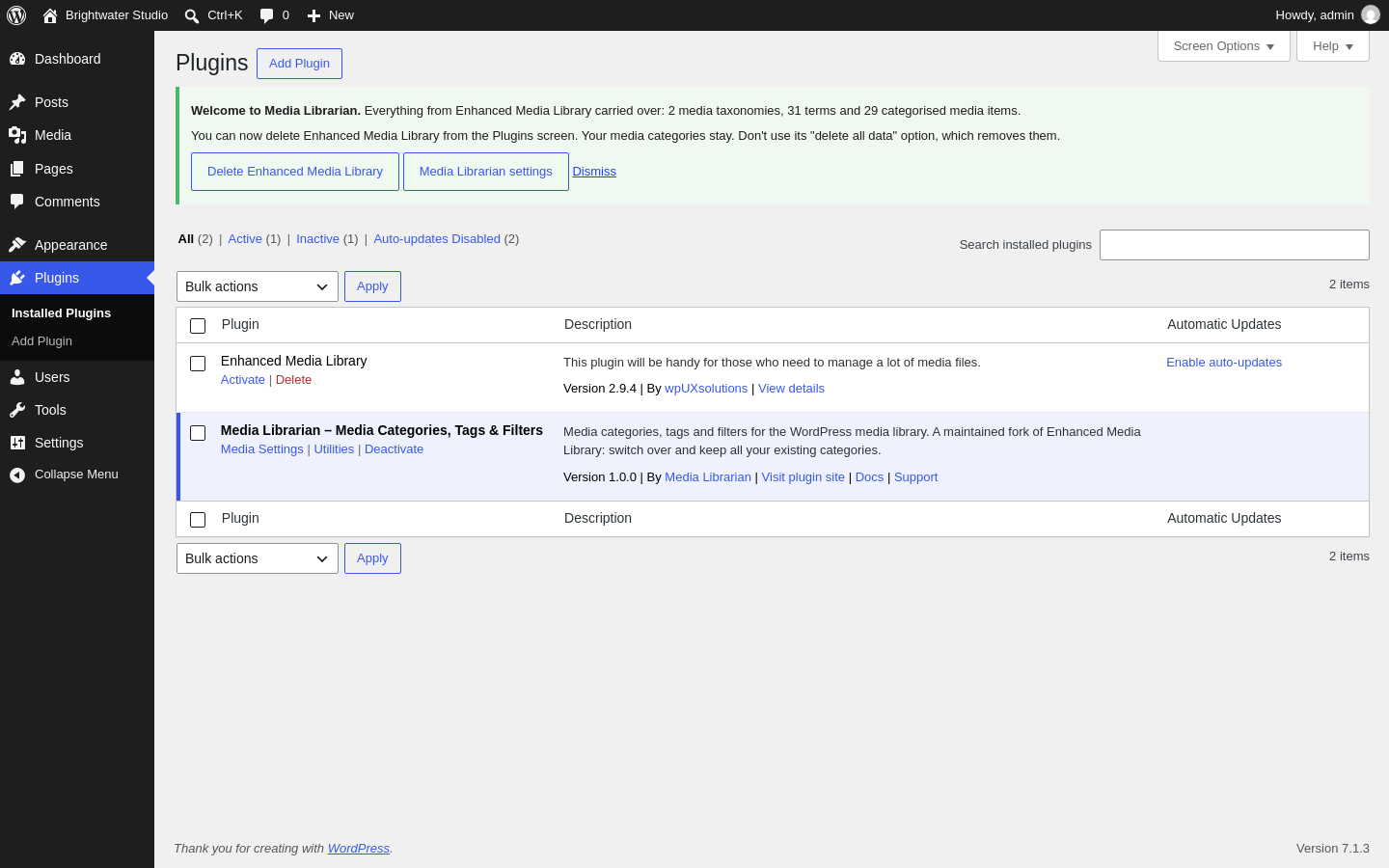
- A welcome message counts what carried over, for example "Everything from Enhanced Media Library carried over: 2 media taxonomies, 31 terms and 29 categorised media items."
- Optional: click Delete Enhanced Media Library in the welcome message. WordPress asks you to confirm. Your categories stay.
What carries over
- Every media taxonomy you created, with its labels and settings
- All categories and tags, including which category sits inside which
- Which files are in which categories
- Your media library, taxonomy and MIME type settings
- Post categories and tags you'd enabled for media
Taxonomy names such as media_category stay the same, so themes, shortcodes, page builders and custom code that use them keep working.
If you used EML PRO
Your categories and settings carry over, and PRO-only settings (such as search and bulk-edit options) are kept in the database rather than deleted. The PRO features themselves, such as bulk editing and advanced media search, aren't in the free version.
A Media Librarian Pro with features like these is planned. EML PRO owners will get 6 months of it free when it launches.
Switching back
Deactivate Media Librarian and activate Enhanced Media Library. Both read and write the same data, so your categories are there either way, including any you added in Media Librarian.
Something missing?
If a category or setting didn't carry over, please post in the support forum before changing anything, and include the numbers from the welcome message.