 Media Librarian
Free WordPress plugin
Find any file in your media library.
Put images, PDFs and videos into categories and tags, then filter by them wherever you pick media: the library, the list view and the popup in the editor.
For WordPress 6.4 to 7.1 and PHP 7.4 or later. GPLv2, no account needed.
Switching from Enhanced Media Library
Two clicks, and every category is still there.
Media Librarian is a maintained fork of Enhanced Media Library 2.9.4. It reads the same categories, tags and settings, so there's nothing to export or import.
Install Media Librarian
From Plugins → Add New Plugin. It waits quietly while Enhanced Media Library is still active.
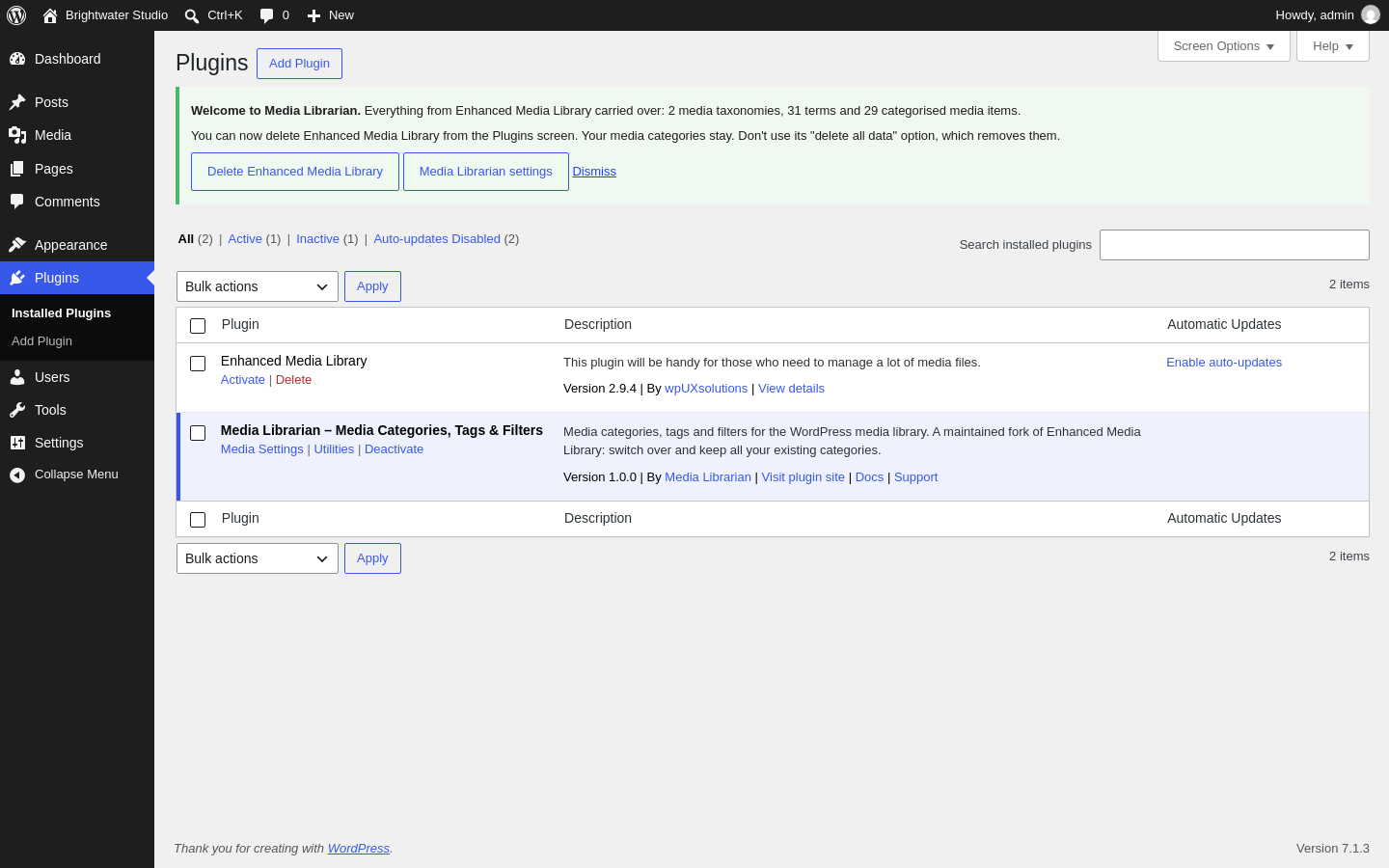
Click "Deactivate Enhanced Media Library"
The button is in Media Librarian's notice. Your media categories switch over straight away.
Check the welcome message
It counts what carried over, for example "3 media taxonomies, 48 terms and 2,310 categorised media items", and offers to delete the old plugin safely.
Don't use Enhanced Media Library's "delete all data" option. It removes the categories you're keeping. Deleting the plugin normally, from the Plugins screen, is fine.
Fast on big libraries
Built for libraries with thousands of files.
Measured on a test site with 10,000 images and 500 categories, against Enhanced Media Library 2.9.4 on the same site.
WordPress 7.1.3, PHP 8.3. Category counts were checked against the old plugin's for all 511 test categories, so only the speed changed.
Features
Everything you need to organise media, all free.
Categories and tags
As many media taxonomies as you need, nested like categories or flat like tags.
Filters everywhere
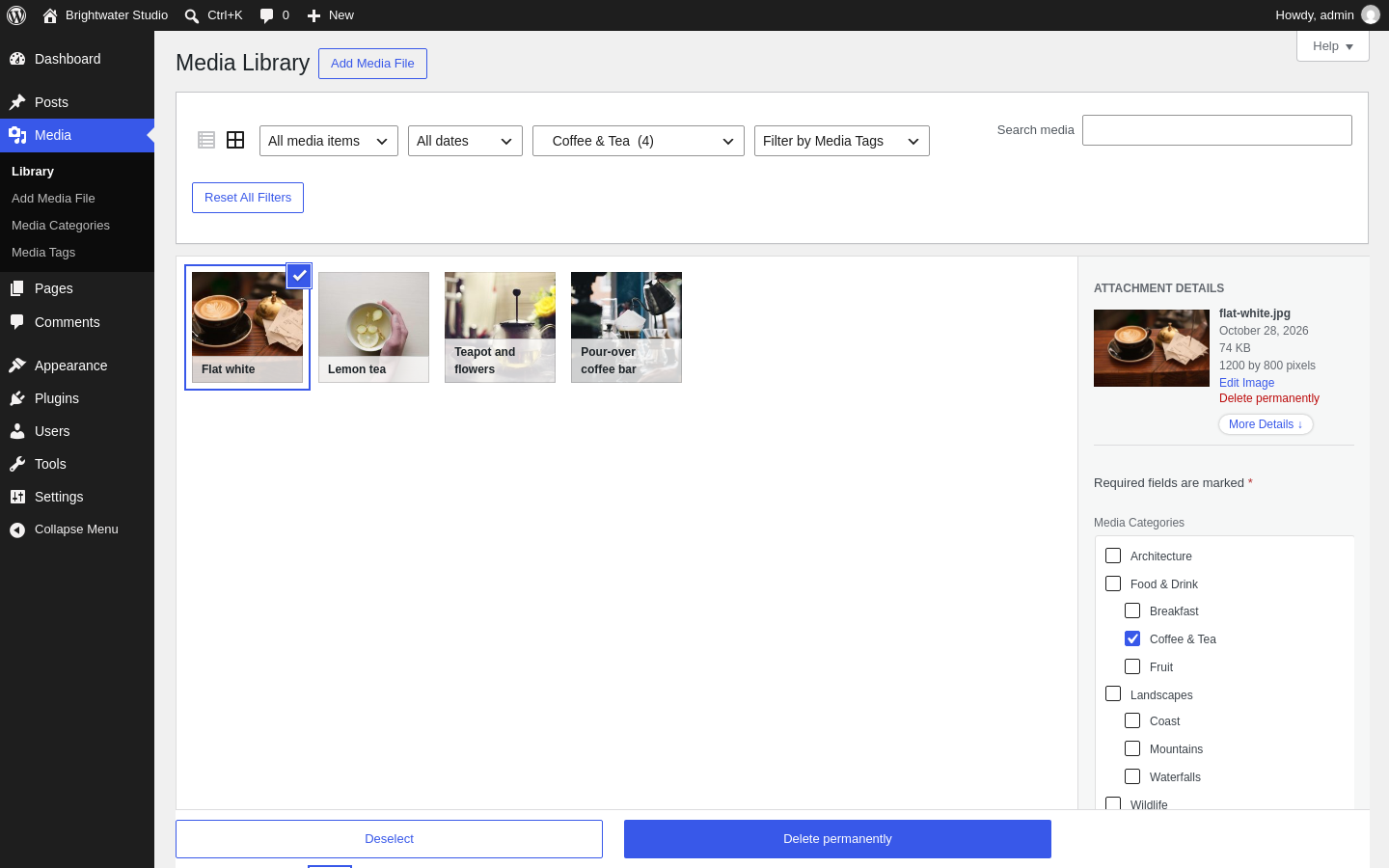
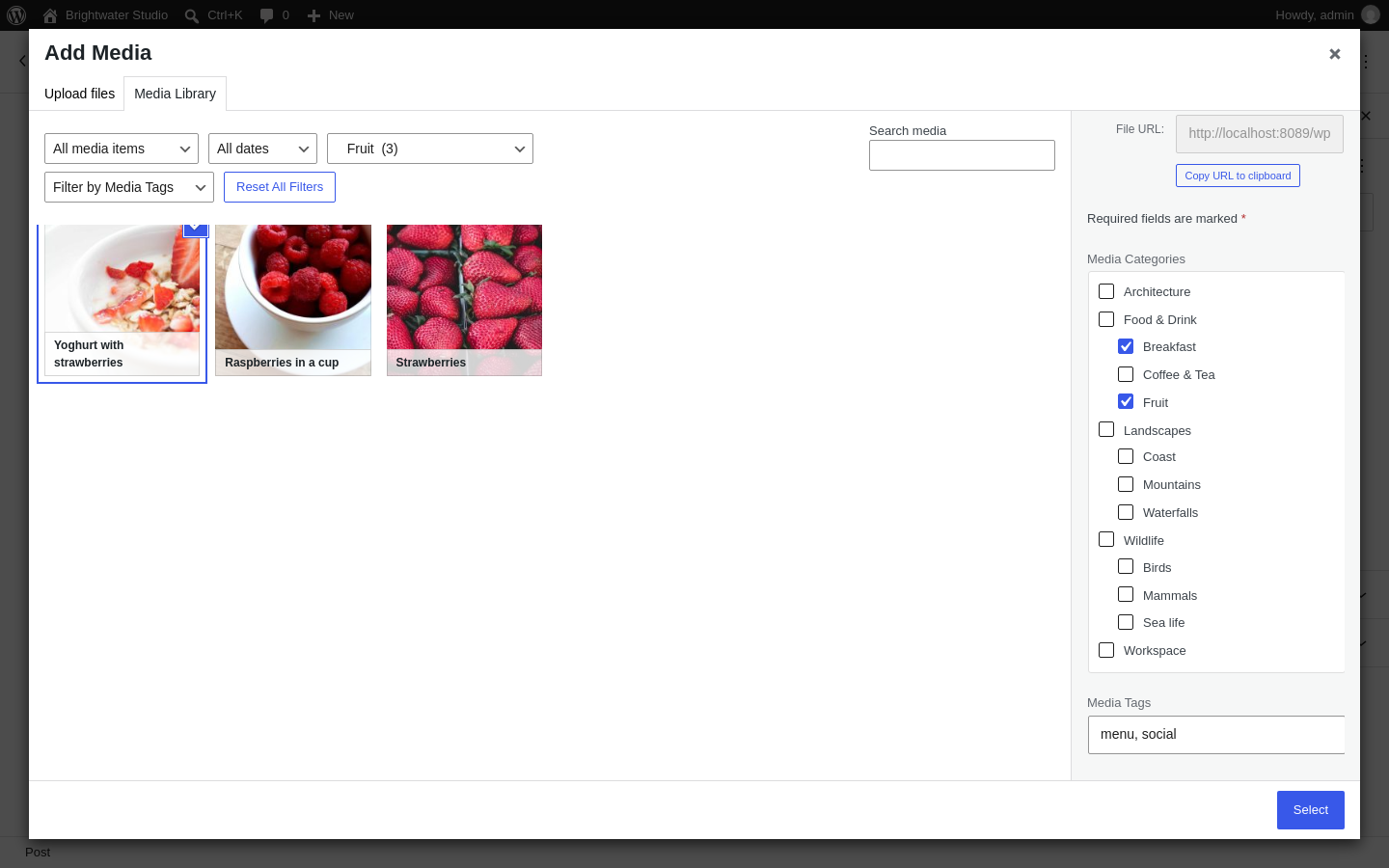
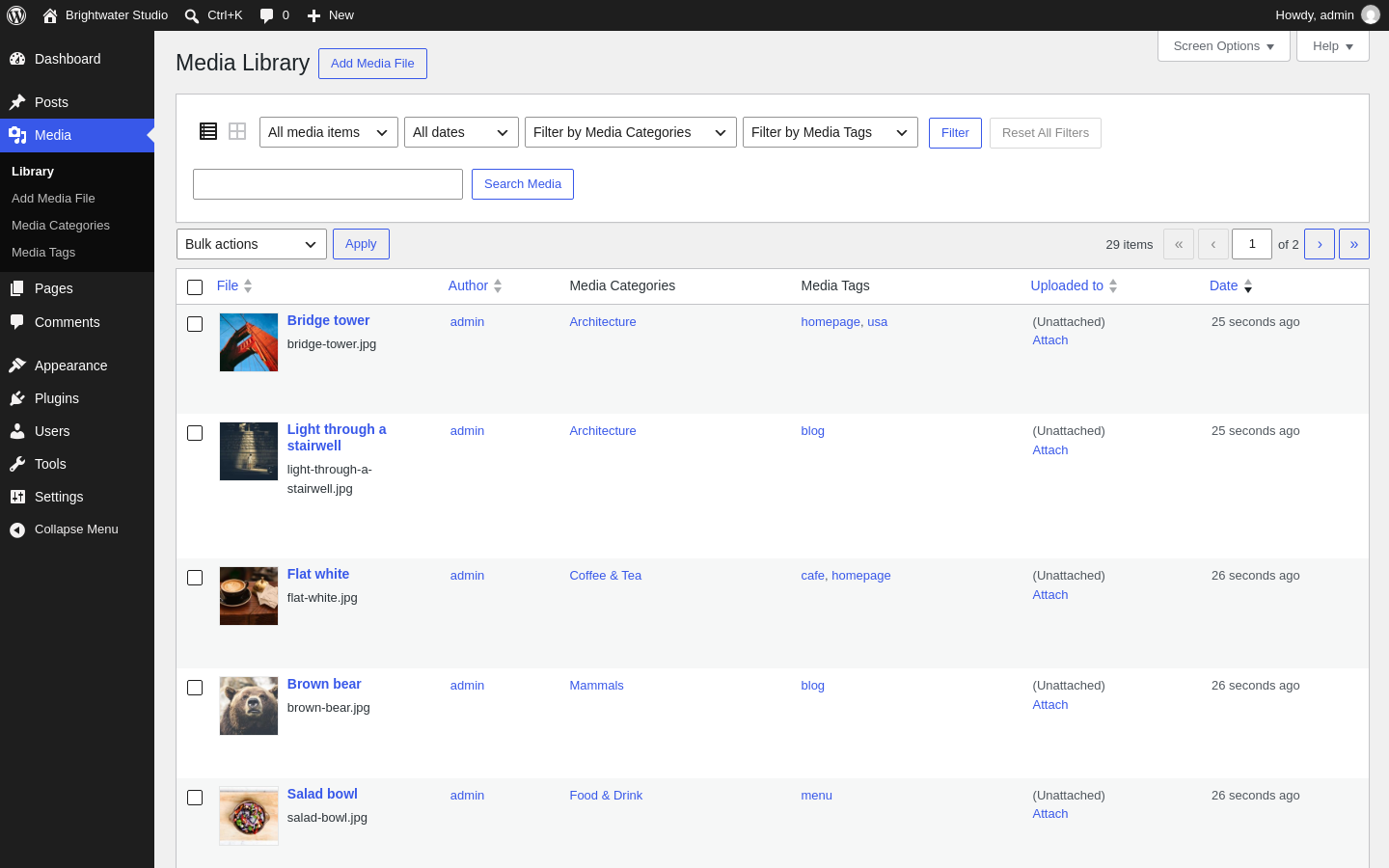
By category, tag, type, date and author, in the grid, the list view and the editor's media popup.
Edit as you browse
Tick categories and add tags right in each file's details, or in the media popup.
Galleries by category
Shortcodes like [gallery media_category="coffee-tea" limit="8"] show the latest files in a category.
Your own order
Drag and drop files into a custom order, or sort naturally so "photo-2" comes before "photo-10".
File type control
Choose which file types can be uploaded, and add types WordPress doesn't know.
Reuse post categories
Use your blog's categories and tags for media too, if you'd rather keep one set.
Multisite ready
Set things up once for the whole network, or let each site manage its own.
No ads, no calls home
No upsell banners, no locked options, and no requests to outside servers.
Screenshots
It looks like WordPress, because it is.
The filters and checkboxes sit inside the screens you already use. Nothing new to learn.
Questions
Common questions
Is it really free?
Yes. Everything on this page is in the free plugin on WordPress.org, with no time limit and no account. A paid Pro version with extra tools may follow later; the free features will stay free.
Will I lose my categories when I switch from Enhanced Media Library?
No. Media Librarian uses the same categories, tags and settings, so they're there as soon as you activate it. Just don't use Enhanced Media Library's "delete all data" option.
I used Enhanced Media Library PRO. Does that work?
Yes. Your categories and settings carry over, including the PRO-only settings, which are kept for later.
Will my theme and galleries keep working?
Yes. The taxonomy names stay the same (for example media_category), so themes, shortcodes and code that use them keep working. If you turn on enhanced gallery shortcodes, check your galleries afterwards.
Does it work with the block editor?
Yes. The filters and categories appear in the media popup that the Image, Gallery and other blocks open.
Who makes it?
Media Librarian is an independent project, based on Enhanced Media Library by wpUXsolutions. The code is GPL and open for anyone to read.
Give your media library a catalogue.
Free from WordPress.org. Install it from your dashboard: Plugins → Add New Plugin, search "Media Librarian".